


ScampLAN 2
The weekend just passed was ScampLAN 2, with a couple of friends bringing their PCs round to our house for gaming and silliness 🙂
We played a lot of Dungeon Defenders.. which I had a look at last week. This game has really grown on me over the week..
I’ve now tried out all the characters, but the one I’ve played most has been the Huntress, who specialises in traps and ranged weapons. I felt she was slow to get off the ground with.. the traps start off with only a few charges and are soon used up.. but after gaining many levels and improving both the traps and the character’s stats, she now feels quite powerful 🙂

When you level up, you can spend your points on stats for the character or for your towers.. I’ve spread my points out between the Huntress and her traps, but another friend has put most of his points into his Monk, making him fantastic in combat but with rather weak auras. For the characters the three of us developed over the weekend, this worked very well, as it meant the mana could be spent on building and upgrading stronger towers and traps, without getting too close to the defense unit cap. We got as far as the Servant’s Quarters during the weekend!
Another game we had a turn at was Operation Flashpoint: Dragon Rising.
We tried to play this previously, but thought we might do better if we were in the same room and able to communicate a little better. However, as in our previous attempts to play, we found barely-visible enemies were able to take us out with ease.. the game is supposed to be about realism and tactics, but if I’m approaching on my belly through trees and bushes, I don’t think it’s realistic to be shot down so quickly by people I can’t even see yet.
I also suffered from a rather random bug, which had my character float up into the air before being thrown back down again.. and of course, taking realistic fall damage. This happened a few times, but settled down enough to complete the mission. However, the fun was lacking for most of us, so we didn’t go back for a second mission.
In between the gaming I had a bit more of a poke around with VoxelSniper on Minecraft.
I had a failed attempt to add Zombe’s flying mod.. not quite sure what went wrong, but the game wouldn’t launch.. before I installed VoxelAir, which allows me to jump high into the air and land without damage, or hover above the ground.
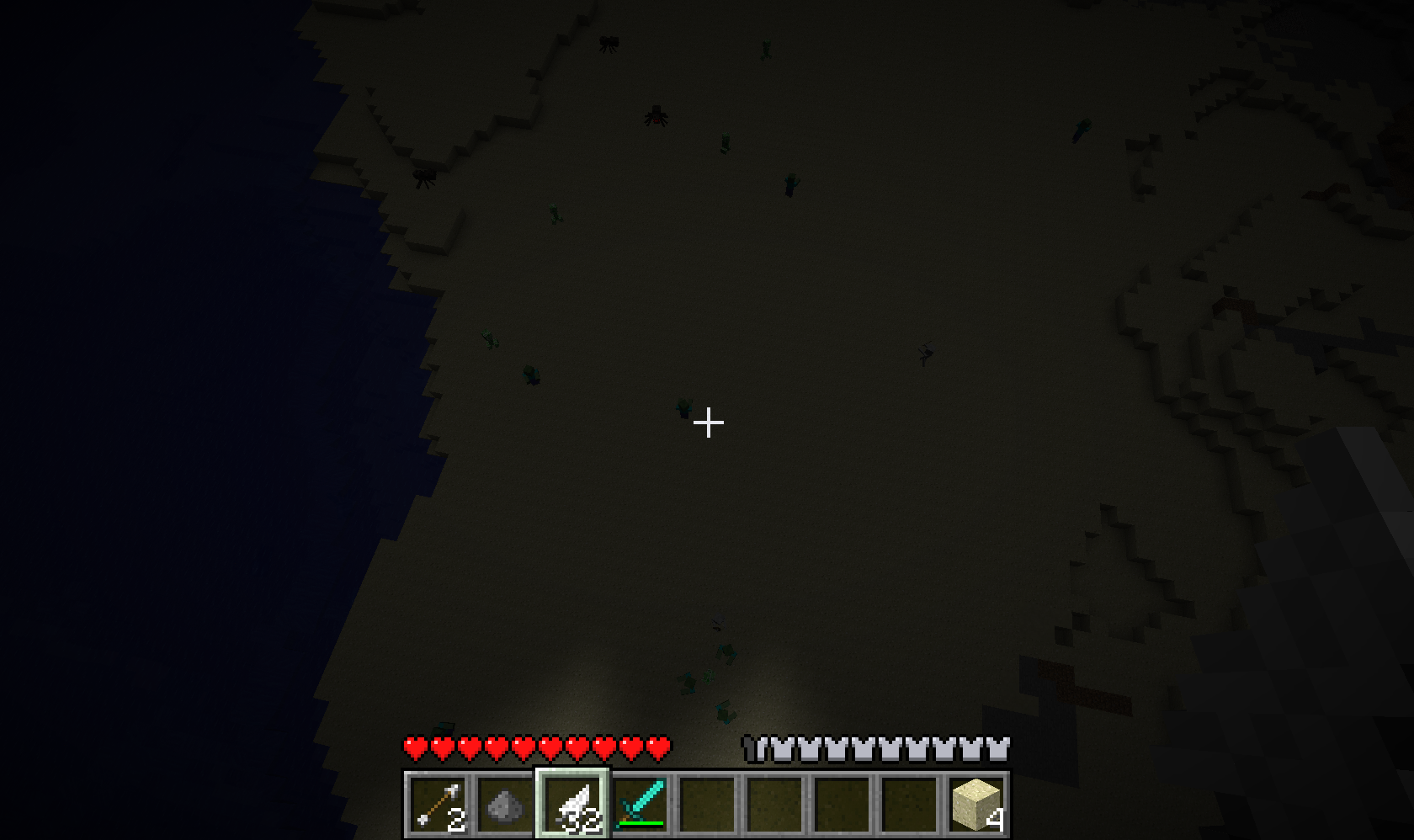
You can jump rather a long way up.. and when I came down, I was surprised by the crazy number of mobs which had spawned!
I found an interesting bug with VoxelAir too.. after being killed while hovering, courtesy of a few Skeleton Archers and a lack of care, I respawned still hovering.. floating upwards in fact! Using the “/give” command simply dropped a new feather at my feet, out of reach.. a friend also tried to give me a feather but it also landed out of reach. In the end I used “/kill” a number of times and eventually spawned close enough to a feather for it to pick up.
Next up will be forming a nice piece of flat land for a huge project.. more later 🙂
With four people and a reasonably couch to take advantage of, there was also some console gaming.. though we found a distinct lack of co-op games allow four people on one console. So many games boast “2-4 player co-op”, but don’t specify that this means two people on one console, and two on a second console.. annoying. We tried Call of Duty: Black Ops.. we wanted the Nazi zombies, but only the arcade mode allowed all four of us to play. We had a couple of runs on that, with me claiming the top spot for one run! Red Faction: Armageddon failed us, as did Rainbow Six Vegas.. so we ended up shooting each other in Halo 3 which entertained us for a while!
Hunted: Demon’s Forge was picked up at the start of the weekend too, and we attempted some co-op in pairs. We all found the game surprisingly hard, though Tim and Jason attempted to play without going through a tutorial first.. masochists! I think the game would be a lot easier if you were able to carry more than one health vial each.. we also found the game punished deaths by sending us a long way back each time. I’m looking forward to playing the game by myself at some point soon, too.
Another game which made an appearance over the weekend was Gears of War 3!
I hadn’t yet finished Gears of War 2, but the copy of #3 will be going home with Jason at the end of the week, and Tim wanted to start some co-op, so we’ve been playing through it anyway.. on hard!
So far, I’m loving it.. though noticing a few changes! The world has been destroyed by the Hammer of Dawn, and the enemies now include mutated Lambent creatures.. I’m noticing a huge change from the graphics of the original Gears of War as well, with the character models all being far more refined. Good changes all round.. and still a great game, as far through as we’ve gotten this far! 🙂
Now VoxelSniper is working..
There are plenty of guides on how to use VoxelSniper, but I’d always rather learn by doing.. so I watched the first part of a guide on how to build a road, and then started fiddling around by myself.
Your VoxelSniper tools are an arrow.. a bog-standard arrow, nothing special.. and a piece of sulphur, maybe better known as gunpowder. All you need to do is give these to yourself via op command: “/give $player 262” and “/give $player 289”, and then have one in your hand to start sniping!
Default values mean a brush size of 1, with material air, so you’ll only see an effect from using the arrow, which replaces the block you’re pointing at. Changing the material allows you to see a bit more.. using the command “/v (material)”.. for me, this was “/v 57”.. then a right click with the arrow replaces your block with a diamond block, while a right click with the sulphur adds a diamond block on top of the one you were pointing at.
You can change the brush type: “/b b” for ball, or “/b d” for disc, then size: “/b (radius)”.
I went with the disc to start with..
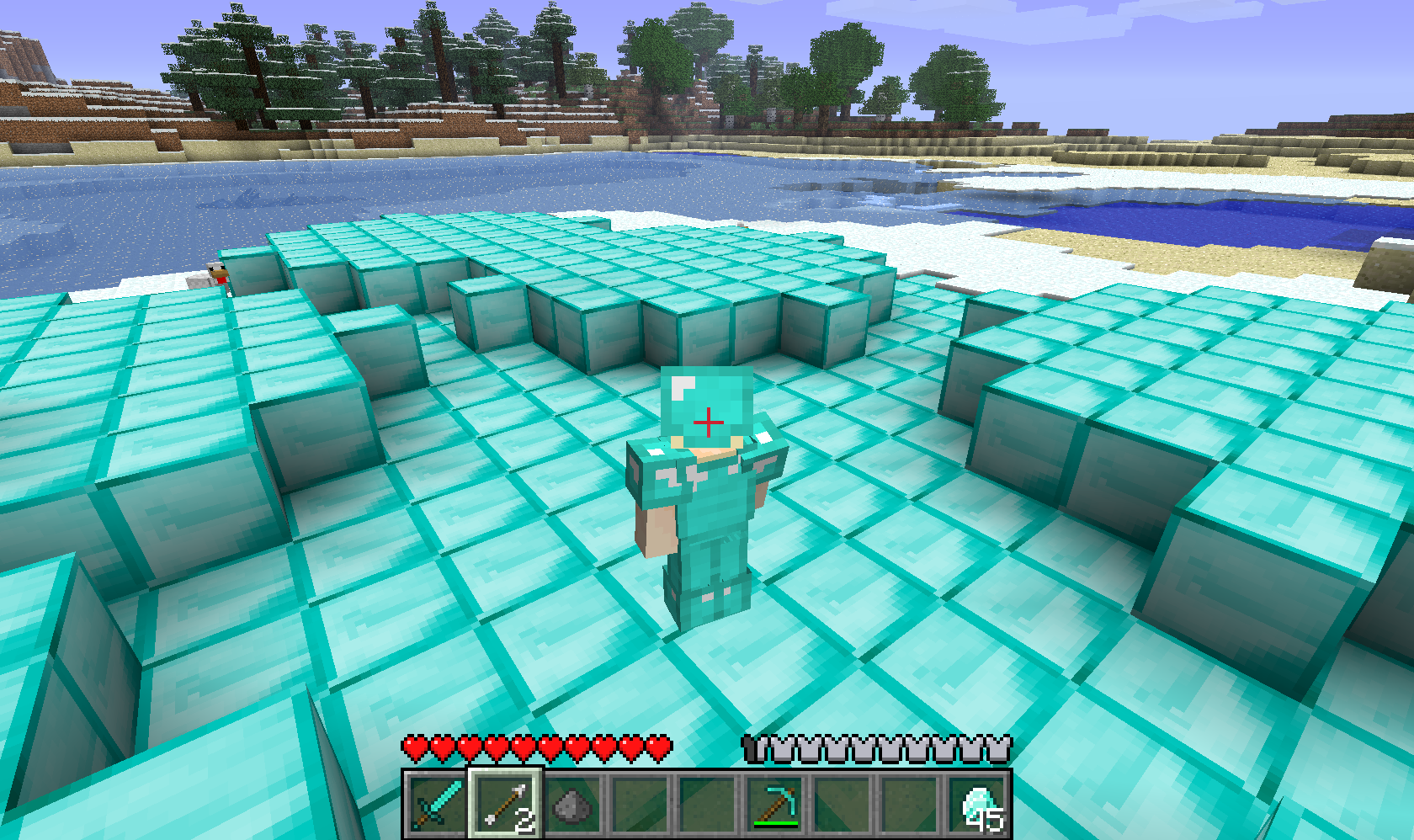
Maybe I went a little mad with the diamonds, but they are meant to be a girl’s best friend 😉
So.. right clicking with the arrow replaces whatever is at the position you’re pointing at, while the sulphur places your material on the row above whatever you’re pointing at. To remove anything, simply set your material to air, using “/v 0”, and click away.
I clicked a few times.. making a nice hole in the ground, through caves.. and then got carried away.
VoxelSniper lets you remove Bedrock too 😮
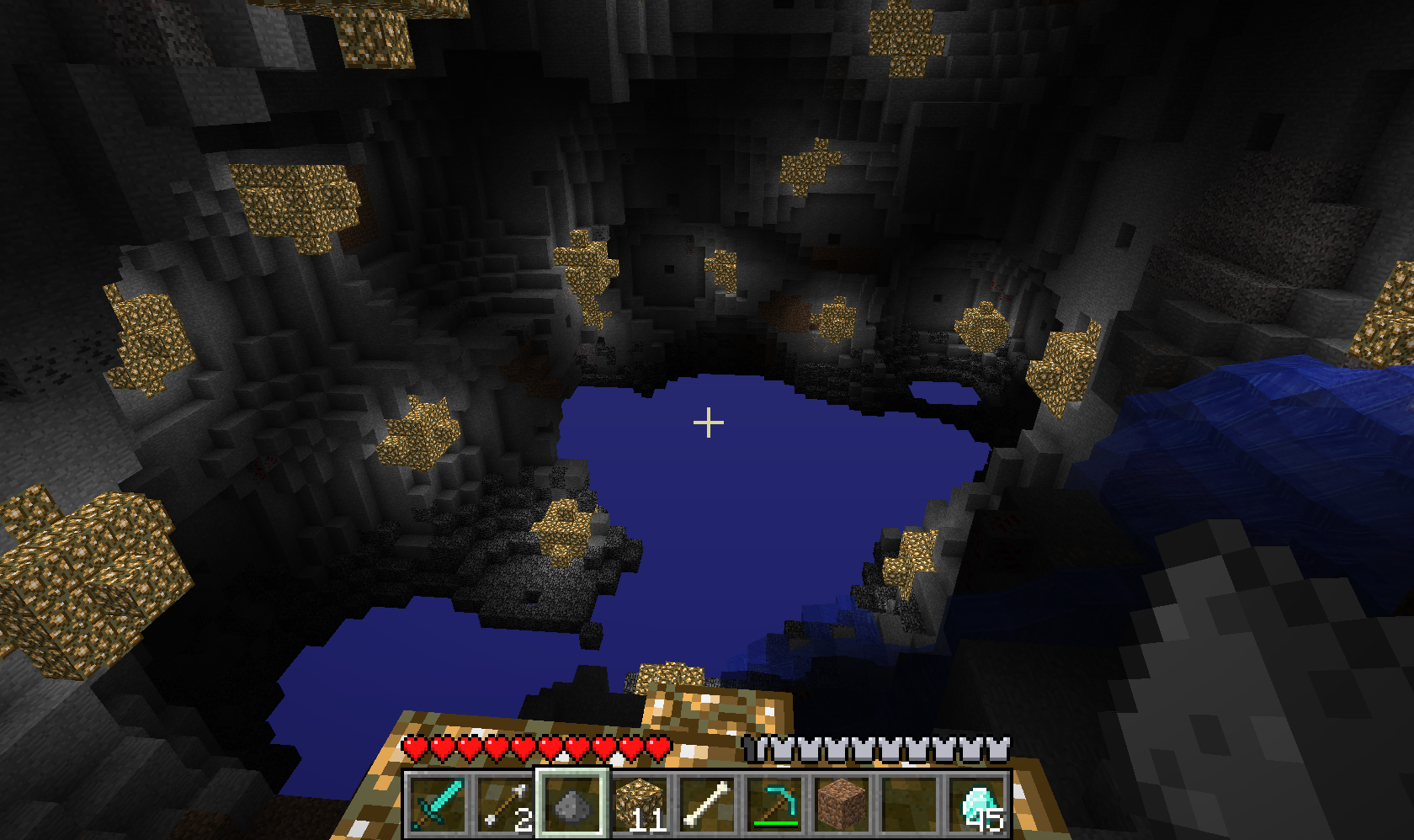
I lit the place up using balls of Glowstone (“/b b”, “/v 89) for this screenshot 🙂
The server handled all this very well.. I didn’t notice any lag during the excavation.
Tim was looking at the server stats.. so I decided to push it a bit, and started placing lots and lots of materials, followed by deleting even more! Holding down the button and sweeping it caused only the slightest delay in seeing the results.. I’ve seen worse “lag” using crazy custom brushes in Photoshop!
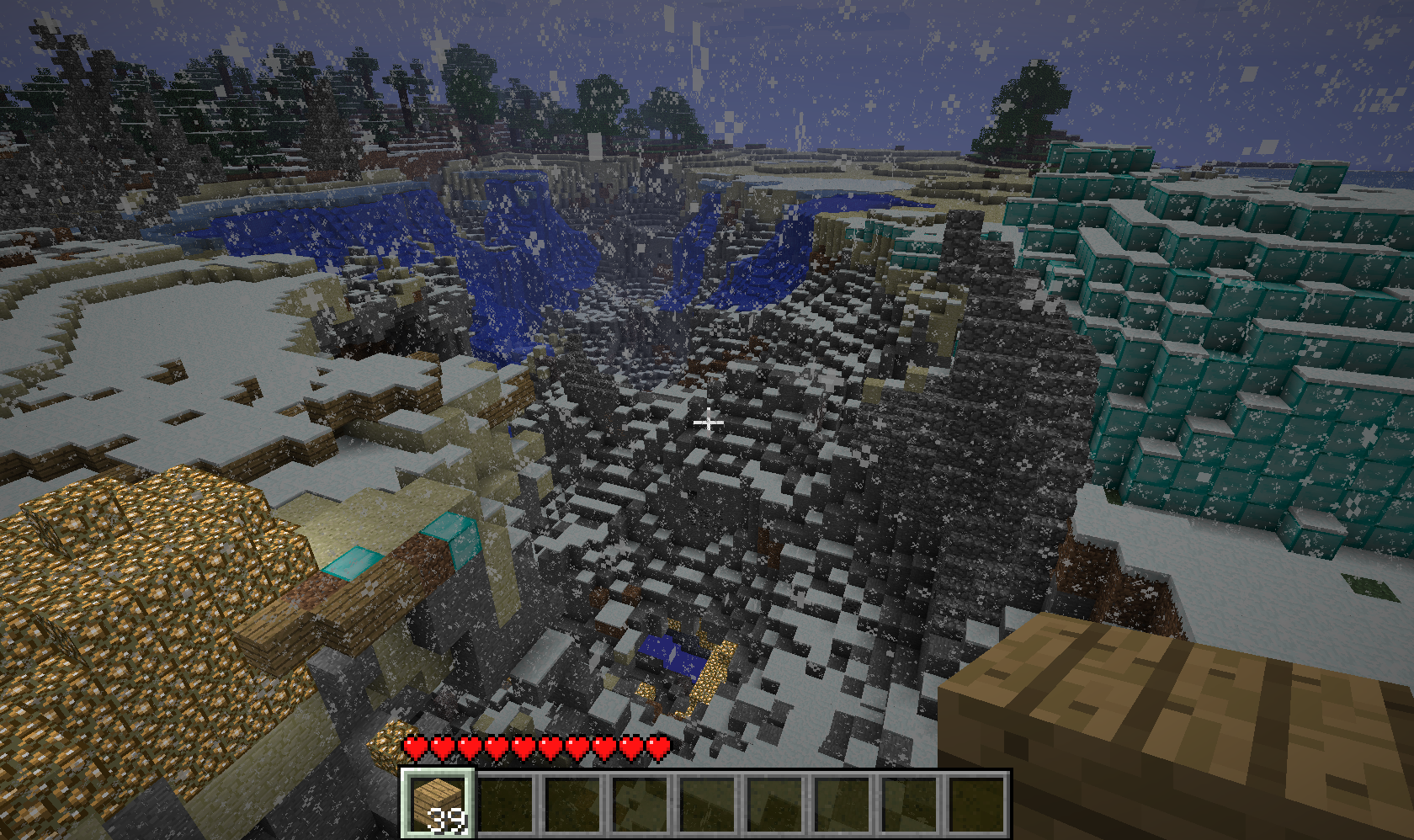
The server barely noticed.. but I think it’s safe to say I’ll be wiping this map and starting again for any real creative work! 😀
Successful Sniping!
Over the weekend, I spent a bit of time installing a CraftBukkit server, then trying to get VoxelSniper running on it.. the first worked fine, but VoxelSniper didn’t want to know. I went as far as to reinstall both server and plugin as it seemed not to be working, and I thought maybe I had an out of date version.
However, it turns out I may just have been using the wrong command to get at the tool..
Having watched the start a fairly simple video tutorial using the tool, I had seen the command “i arrow” being used to get an arrow. This command, when run on my server, produced an “Unknown console command” error. Googling around only turned up suggestions for reinstalling VoxelSniper, making sure I was running the right version, etc.
I mentioned this to a friend, who asked if it wasn’t just “give (arrow id)”.. a normal op command in Minecraft. I hadn’t considered this as I assumed an “i arrow” arrow would be something different to the regular one, just sharing the skin.. but once I gave my friend the arrow and added him to snipers.txt, he was able to use the tool as intended! I’m guessing “i arrow” works with some kind of mod.. something I might have realised if I’d played with more mods or thought about if I’d had more server experience.. but if you learn from your mistakes, then this is all good 🙂
I only wish I had access to play on the server from here.. and that I didn’t have to get back to work 😉
I have a Bukkit!
This post is a story about learning how to install a CraftBukkit server, and add a plugin. Sounds simple, right?
I wanted to play with terraforming on Minecraft.. and as I have my own virtual server now, there was no reason not to try, except.. where to start? VoxelSniper was the plugin I was directed to for terraforming, and to install that, I required a CraftBukkit server.
My prior server experience is pretty much this: connecting to the server, installing a Minecraft server, and connecting to that to see if it worked (it did). I prefer to know what I’m doing, and why.. but it seems that anything relating to servers has a rather elitist following who go by the guideline of “If you don’t understand it, you shouldn’t be doing it”. Therefore, I ended up following this newb-friendly guide, which got me as far as installing the latest CraftBukkit download and running it.. before coming back to the question which had been bugging me from the start.
What do I have to do once I’ve installed CraftBukkit? Move my Minecraft server into that? Point the CraftBukkit server at my Minecraft server? I ended up having to ask Tim to take a look 🙁
The CraftBukkit server actually contains the Minecraft server as part of itself.. something that I think could have been included on the FAQ, but maybe it doesn’t need saying to those who have more server experience.. I don’t know..
Next was to install VoxelSniper, which was less intimidating as I felt like I knew what I was doing.. install to the Plugins folder, restart CraftBukkit, and edit the snipers.txt file to list those who can have access to use the tool.
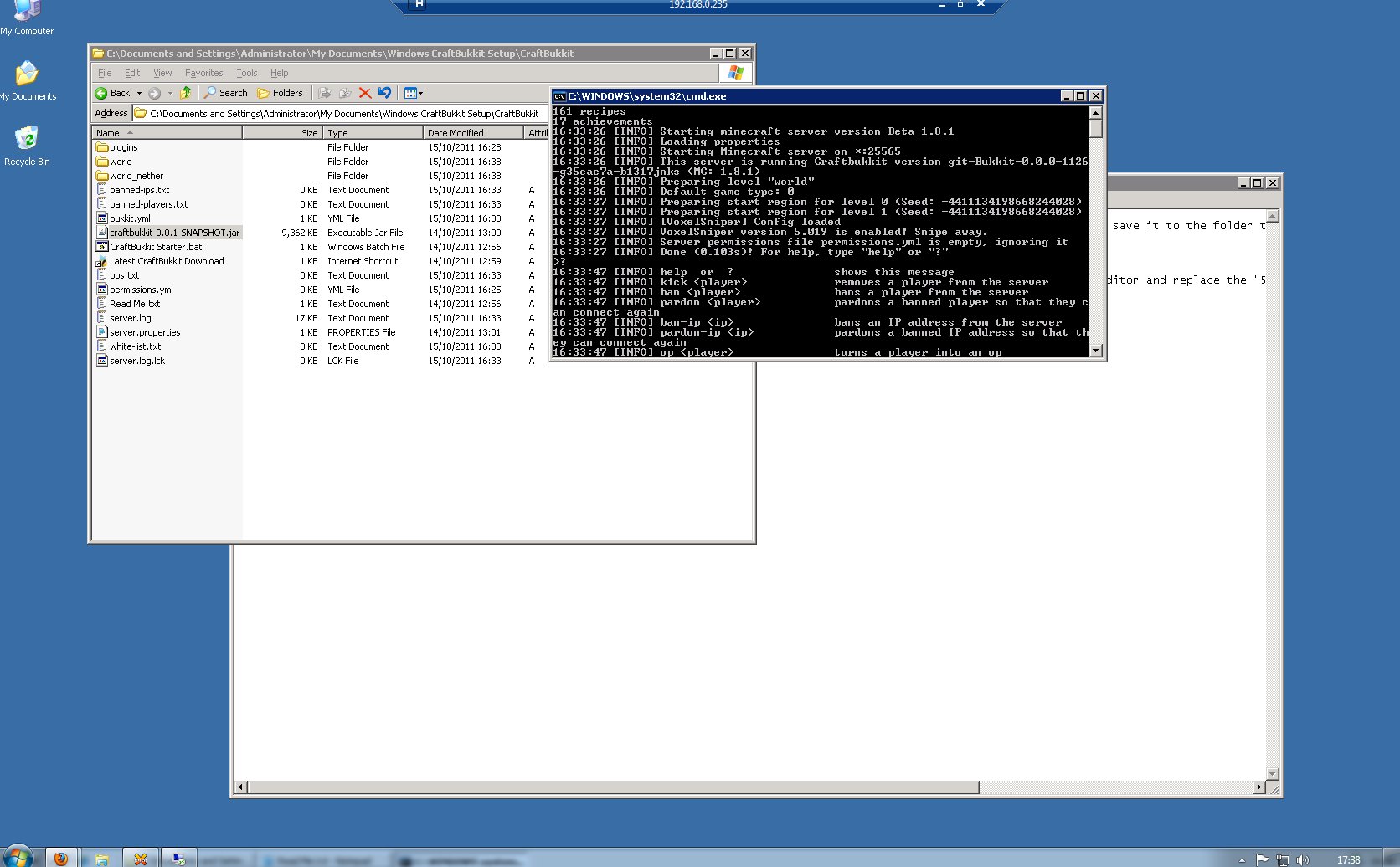
Now to see if it works..
Well.. the server launched fine.. but VoxelSniper? I was able to get at instructions for it, but completely unable to give myself the arrow tool which was indicated.. the server just didn’t recognise the command. More rooting around the forums..
VoxelSniper works with a slightly out of date CraftBukkit server.. #1060 rather than the “most up to date” build that I’ll have been given in the noob-friendly guide.
Re-install time.. this time doing it by myself..
It appeared to work, but when I went to reconnect, the server just gave me a Connection Error.. my Minecraft client needed backdating too. Once that was done, I was able to connect..
However, “i arrow” still gives me an “Unknown console command” error..
Well.. giving up for now 🙁
Technics Pack – Industrial Craft
After selling the villagers plenty of wood and a few bricks, it seems I’m a bit more welcome: my status is now “Regular Visitor”.
The village is growing nicely too..

I had to check.. but the Town Hall has even had an upgrade, with the walls of the central part now being made from the smoother-looking cooked brick, rather than the mud bricks it began with. The bricks take rather a long time to make, though, and I wanted to move on..
I decided to leave the villagers to do the rest, while I finally started on the Industrial Craft part of the Technics Pack! I did have to resort to a tutorial from the Industrial Craft wiki though, as I just didn’t know where to start..
The first task is to find a Rubber Tree, and extract the rubber using a simple Treetap.
The tutorial said the trees were rare, but I found one without too much trouble. After taking the rubber from the one Sticky Resin hole on it, I ripped the tree down, hoping for saplings.. and with the help of a little bonemeal, I soon had a Rubber Tree farm!

So now I can start on the long-winded stuff..
Gather resin, turn it into rubber, combine it with copper to create cables.. which are then combined with more and more stuff to create machines, such as an extractor which will increase the efficiency of rubber production. However, the machines require electricity.. which means building a generator. The generator requires rechargeable batteries (cable, tin, redstone), refined iron, and an iron furnace (more iron and a regular furnace)..
Hmm. I’m building things to build other things, to do a job I was already doing, albeit slightly more efficiently. Long term gains, I guess..
Fortunately, I found a lot of resources while looking for redstone, so it’s now just a matter of following instructions.
Out in the rest of the game world, I managed to tame and ride my first horse.. though I had to check the internet again to find out how to dismount X)
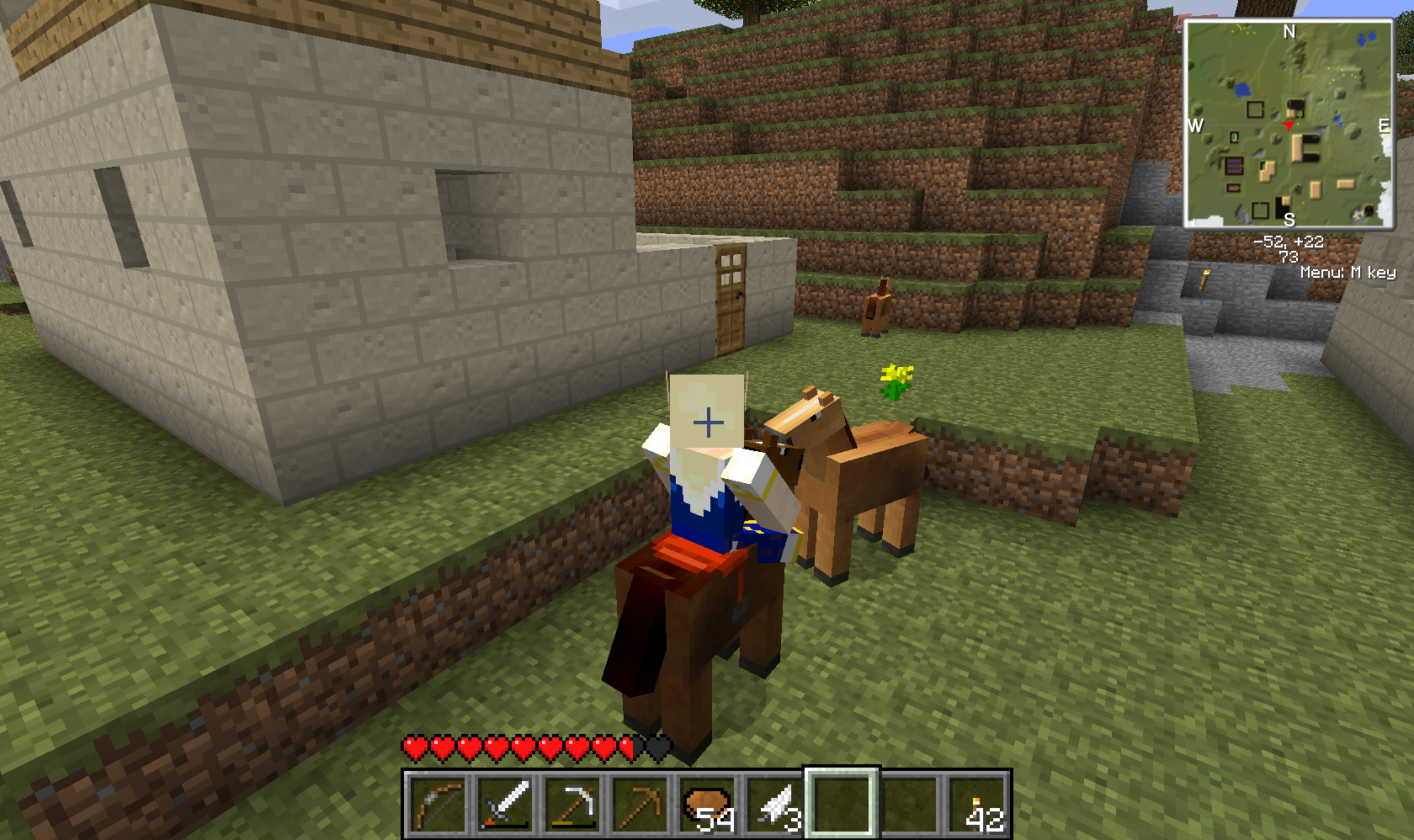
As well as horses, there’s a Unicorn and a Pegasus, which have lower spawn chances, and the Pack Horse, Nightmare (black unicorn) and Black Pegasus, which are only available through breeding. Like the crazy friend who got me into this mess, I will probably attempt to collect them all.. collect ALL the ponies.. 😉
More Technics Pack
I’ve been struggling for quick answers to things in my new modded game, due to there being so many mods added all at once, and not being familiar with any of them to begin with. Some things are easy to quickly look up.. for NPCs and villages: Millénaire, for creatures: Mo’ Creatures.
But green ore?
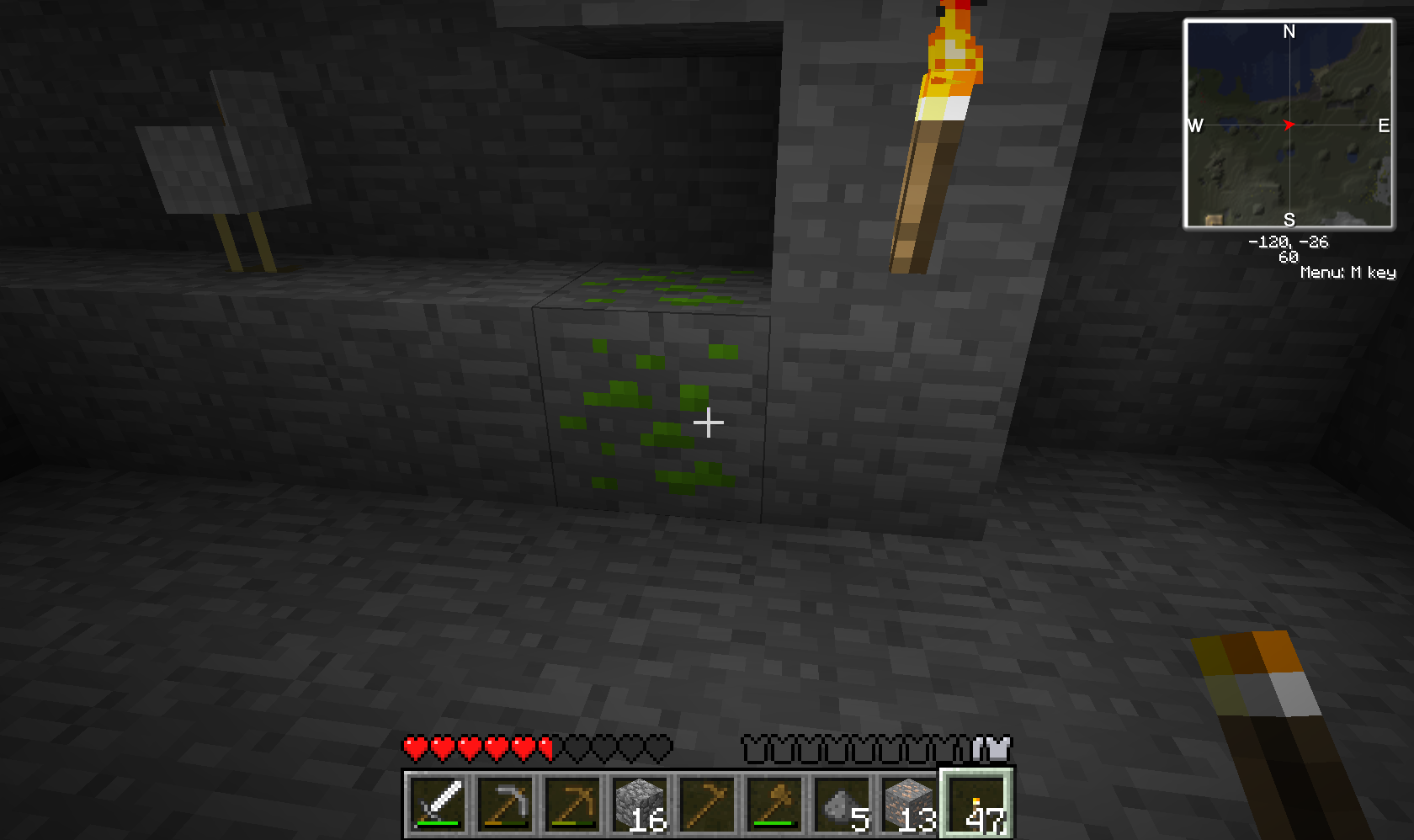
It turns out that the green ore in my little cave is uranium, and needs to be dug up with an iron pick.. but I had to ask a friend to find this one out. Google searches for Minecraft tend to return lots of videos and installation guides.. and well, I just don’t have the time or inclination to wade through hours of video footage in the hopes of getting an answer to whatever question just came up.
I suppose most people come to the Technics pack after having played with various other mods, if not the specific mods included themselves.. whereas I’ve come to it through the pestering enthusiasm of a friend, and find it all a far cry from the comforts of vanilla Minecraft and the wiki..
My friend has now linked me to the Industrial Craft Wiki though, which should alleviate my frustration enough that I properly look at this side of the mod pack, instead of just hunting Ogres or watching the villagers build stuff.. though maybe I’ll watch a little more first, as I do want to see how much they’ll expand 😉
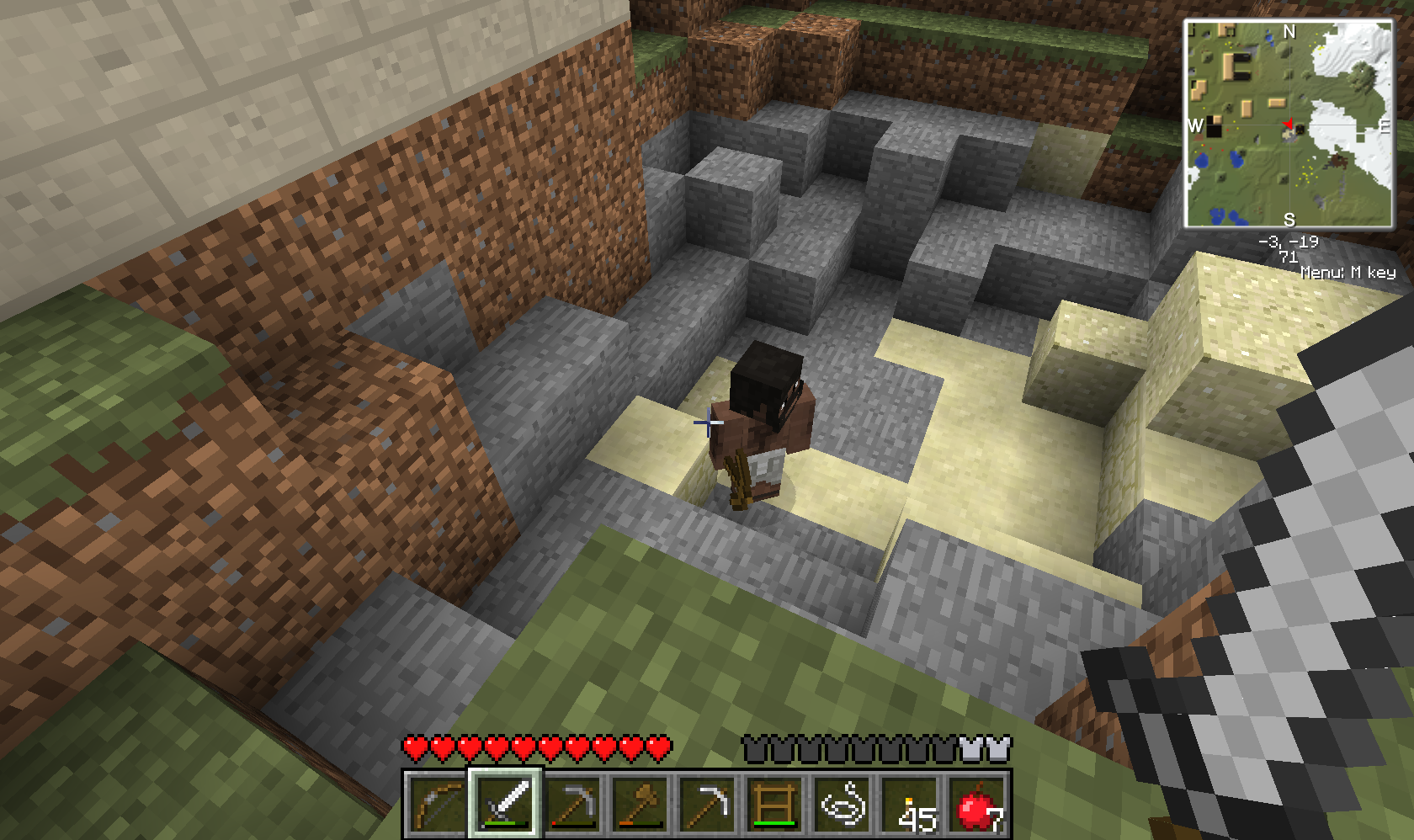
There was a death in the village today too! A bear attacked a woman.. and after taking just a few hits, she disappeared in a little cloud of dust 😮
Minecraft Mods – Technic Pack
I’ve mostly ignored Minecraft’s various mods so far.. nothing really leapt out as a must-see, and I just didn’t have the enthusiasm to face the hassle of setting them up.
However.. a friend has been trying out the Technic pack, which adds a big pile of mods to the game.. building, industrial machinery, more creatures via Mo’ Creatures, and from Millénaire, NPC villages which grow as the villagers work in them.
Minecraft itself has to be downgraded to version 1.7.3 before the pack can be applied. So that I can play on the multiplayer server still, I need to have a second install of Minecraft.. or a second copy of the game’s bin folder at least. I looked into creating a batch file to switch between the modded version and vanilla version, but that would rely on naming the folders “bin” and “bin(1)” rather than something memorable. As I want to keep a backup copy of the modded version anyway, it should be easy enough to just copy that over when I want to play the mod.
So, into the game..

I spawned right next to an Indian village, with a few small buildings, and NPCs going about their business.. collecting wood, making bricks, and if I headed into the town hall, one or more would come running to trade with me 🙂
I decided to avoid gathering resources directly within the village in case it turned them against me.. but I was lucky enough to come across loads of blocks of wood from trees which were despawning all around, and ended up with a full stack of wood without having had to strike a single tree!

I’m still only at “Stranger” status with the Village Chief, though as I bring more goods to trade, this reputation should improve and I’ll be able to get more interesting things, including housing which isn’t so easily destroyed..
My friend had warned me against building too close to the village, as they will expand onto you if it’s in their plans. I moved to the next flat piece of land and made a small house, containing a workbench and chest, and a bed for passing the night in safety.. or so I thought!
The Mo’ Creatures part of the pack adds.. as you’d guess.. more creatures, including werewolves, big cats, and Ogres..
I awoke from the third night’s sleep to a smashing sound, grunting, and the realisation that my house was being destroyed around me by three large Ogres! I ran away, not wanting to take them on with the wooden sword I had to hand.. and when I came back there wasn’t much left..

In case you don’t want to be surprised like this, Mo’ Creatures has a few adjustable settings.
I have reduced the number of Ogres.. for now. They drop Obsidian, so when I have a bit more gear, I will be hunting them for it!

Werewolves were another threat I’d been warned against, with the recommendation of just running if I saw one. It’s a different matter during the day, though.. and I was encouraged to attack the “hobos” wandering around for their loot.. as well as for the fact that they were the Werewolves’ daytime form.
As well as the hostile creatures, there is a nice variety to the wildlife.. rabbits, cats, fish, horses.. even pegasi and unicorns, which a friend has been busy trying to breed..

For my part, I still need to create a saddle, find food, and even tame a horse, before I can worry about breeding them 🙂
I came across some dolphins too.. and I even managed to get a ride on one by clicking him. I couldn’t repeat it when I tried, though, as the other dolphins just threw me off!

The trees are another great thing about this mod.. more variation, with a few types of fruit trees too.. and some insanely large trees dotted about, which remind me of our attempt at a giant tree on our old multiplayer map!


I also found an Oil Slick, but I think I’m quite a way off building any of the industrial machines which I’d want it for.. so I’m leaving it alone for now.
Before I start ripping apart the countryside, I want to see quite how much my little village can expand.. they’ve already started! 🙂
Minecraft: The Adventure Update!
Minecraft has now been improved with The Adventure Update.. adding new biomes, ravines, NPC villages, more, and bigger, dungeons, and abandoned mines..
This last is maybe a bad thing where I’m concerned, because when I find a dungeon I want to explore the whole thing, and tend to get stuck down there for weeks.. but what I’ve seen so far has been rather interesting, and certainly an improvement to the game.
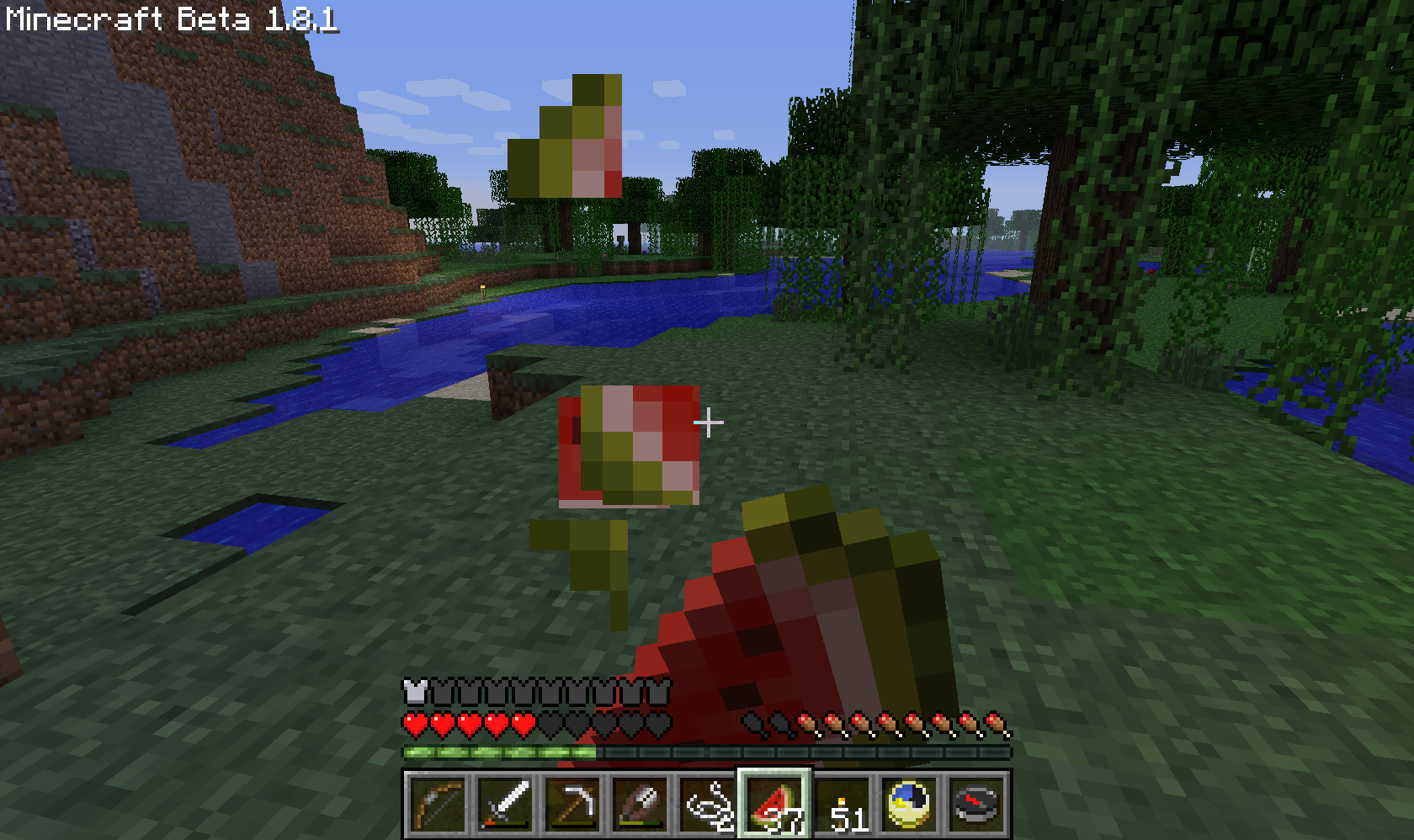
Another pair of additions are the food meter and the experience bar. I wasn’t too sure about the food meter when I saw it at the weekend.. I don’t really want to have to eat in a game.. but I think it’s added an extra, minor challenge, as well as a use for all that food. Food also has the unfortunate effect of making it look as though your character is vomiting, though not from your own point of view. Experience hasn’t been added properly to the game yet, so while you can gather little glowing blobs of XP from mobs you kill, it doesn’t do anything.
I went exploring with a friend tonight, looking for an abandoned mine. The abandoned mines also have small wooden structures and track, and I’ve been digging that up as I find it.. I plan to link up my latest base, ‘Wolvesholme’, with the rest of the explored world.
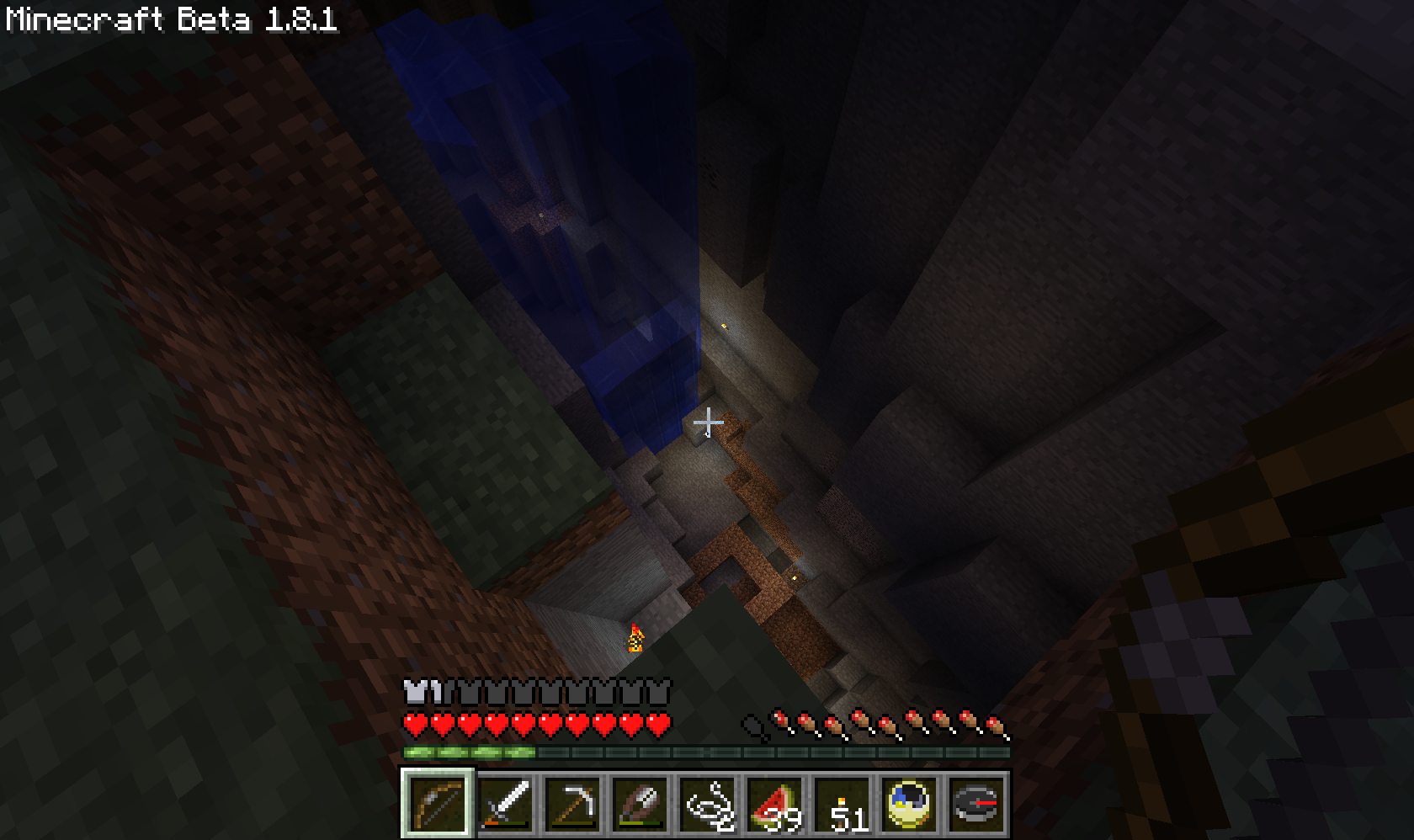
We found one of the many huge chasms first, and I was taught a slightly cheeky trick of using water for a fast descent to the bottom, rather than the slow staircase I’d have built.
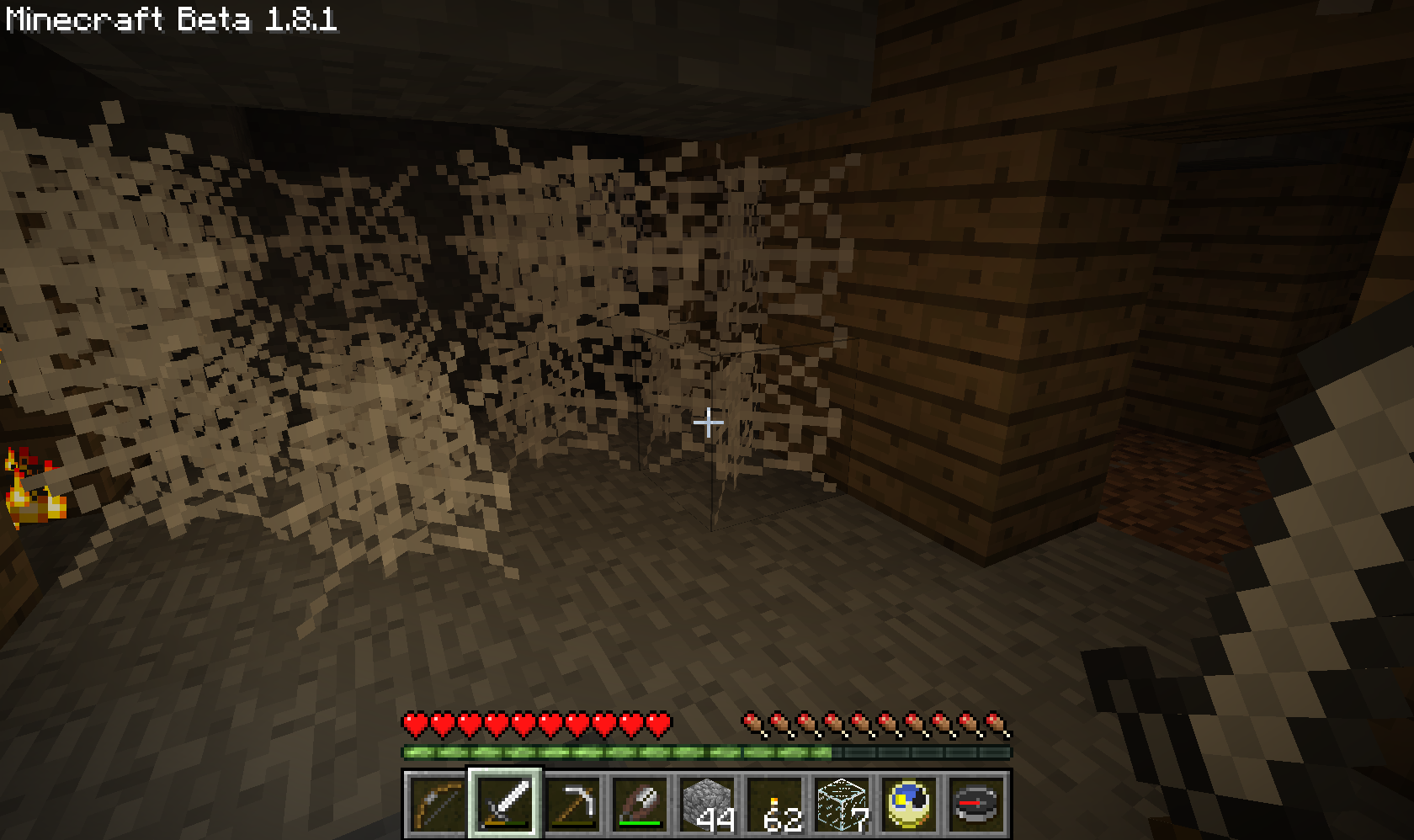
There are now spiderwebs in the caves, which make it feel a bit more sinister.. especially when you hear the spiders scratching around above you..
I suffered at the hands of the mobs tonight, especially the creepers, and had to make several long runs back from ‘Silver Bay’ as that’s where I’d last used a bed. Tomorrow’s job will be building some kind of outpost to save these long runs back!
Adventure Craft and Zelda Adventure
Another Minecraft-related recommendation by a friend.. this time with the requirement for a mod called Adventure Craft. (more detail).
Zelda Adventure is an adventure map inspired by The Legend of Zelda, which uses Adventure Craft as a base. After installing Adventure Craft, I saw a rather large number of other maps too, some of which may be worth a look too 🙂
I prefer to avoid reading up on games before playing them as it tends to ruin the surprise, and with mods, you never know if there’s going to be enough direction so you don’t just end up walking around aimlessly. There were enough directions here though.. on loading in I got a cutscene with Zelda calling for help.. the mission.. and then a second cutscene showing me where to go first..
Into a little cave, where I met an Old Man who had a gift for me 🙂

The Adventure Craft mod means that maps can be created with non-destroyable blocks, which means players have to go down the routes made for them, rather than digging through if they want to cheat. I wonder how easy it is to learn how to use..
On my way towards the first dungeon, I met my first slime! I’ve not managed to find a single one on our multiplayer server so far, though since Slimes were added, I’ve not discovered many new caves..
This slime died on the fall down to the path, but in the dungeon, I met more.. one large one which appeared right in front of me, making me scream, and then a large group of them. As well as monsters, the dungeon contained a few puzzles, including a rather infuriating jumping puzzle which took a while to get right and complete in time..

Eventually I managed to light the torch at the far side, allowing entry into the next area, where there were more slimes and a skeleton to fight. So far so good..
The first dungeon’s boss was a massive slime.. his main attack involves landing on the player, where he can kill almost instantly.

I think the smaller ones look fine, but the texture is a bit lacking on this massive one.. though when you’re fighting with it it’s not exactly the first thing you’re thinking..
The second dungeon was full of skeletons.. warriors, archers.. and jumping puzzles with the addition of spikes! This dungeon finished with a Skeleton Boss who was rather hard to kill..

The Skeleton Boss was customised to shoot four arrows at once.. and he doesn’t take damage from the player’s sword..
He had to be enticed over the spikes in the corners to kill him.. but eventually he died, leaving only a mess of arrows behind.

Here’s where I found a little problem.. I didn’t receive any loot.
This meant that I was unable to enter the third dungeon when I eventually discovered it at Lake Hylia.. the door was locked and I should have had the key from here. I tried going through the dungeon again, but there was still no loot, and I didn’t really want to start the whole game over..
The game isn’t yet complete, so I might leave it till I can play the whole thing through. In the meantime there are plenty more mods.. 🙂
Fighting Terraria’s Bosses
Right now, I’m not sure whether or not I prefer this to Minecraft. Minecraft has more potential for building amazing structures.. but sometimes it feels a bit too easy to end up wandering around without much direction. So far Terraria seems more purposeful, with the ability to level up your character and loot or craft better gear, and with the various bosses to fight.
On our multiplayer server, we’ve already taken on the Eye of Cthulu, and next up was the Eater of Worlds, a huge worm-like creature.
Once the three of us were online, the Eater of Worlds was summoned, and we headed to our arena of wooden platforms..

This boss tunnels in and out of the ground, and using the platform means you can see him coming.. of course he still hits hard, and coming in contact with any part of his body seemed to cause damage. You can split him into multiple worms if you damage sections of his body enough.. though then you end up with multiple bosses at the same time.

Unfortunately, I found that his head was rarely within reach, especially after dropping from the platform to avoid contact, and we did end up with a few worms by the end of the fight.
The final boss is Skeletron, found outside the main dungeon of the world.
He first appears as an Old Man, and will transform into Skeletron if you speak to him at night. We approached during the day, and I was tempted to go into the dungeon to have a look around first, but was warned off.. entering the dungeon without first summoning and defeating the boss will result in him appearing and one-shotting the intruder.
We created a small room with a bed up on top of the dungeon, so we could set our spawn point close by. This turned out to be a good idea, as there were a few accidental uses of the Magic Mirror during the fight.. it also meant that if any of us died, it wouldn’t leave the other two alone for long.

With all our powerful weapons, we killed him of course.. sadly this boss can only be defeated once per map.
In addition to bosses, we have also started to encounter Goblin Invasions on the server. To enable these invasions, at least one Shadow Orb must be broken.. after that it’s a random chance each dawn while at least one player with 200 health is present on the server.

The arrival of the Goblin Army means a lot of fighting, and with some of the better weapons it’s a lot of fun, though the Sorcerers are still annoying as they teleport around. This adds another facet at the stage when you’ve discovered much of what there is in the map, and I think this really helps to maintain interest in the game.