


Dragons and Giants
Skyrim, Skyrim, Skyrim.. I’ve played nothing but this all weekend!
I was going to take a break for some Minecraft, since the new version is out and I wanted to work on my project.. but the CraftBukkit server itself has yet to be upgraded from 1.8. I really should have checked on this before updating my client.. but I didn’t.. and now I either wait for the update, or go and backdate Minecraft to 1.8 again.. yeah.
Laziness won out this time, and I went back into Skyrim..

I was rather chuffed when my power attack caused my character to climb on the dragon’s head! For some reason, I get an error from Steam when I try to upload this screenshot.. or the one of me balancing on tiptoes on his head as he dies..
Yesterday’s explorations took me to a Dwemer dungeon.. I loved the look of this place, though to be honest I loved the previous Dwemer ruins and dungeons too 🙂

Various other explorations brought me face-to-face with some giants. I say face-to-face.. face-to-crotch would be more appropriate!

The one I met on the road didn’t seem to have any interest in attacking me, whether by glitch or design.. but I got into a very tough fight with one later. At this point I’m finding a nice variation in the strength of enemies, with the Giant being a decent threat, but wolves and bandits being easy meat 🙂
Successful Sniping!
Over the weekend, I spent a bit of time installing a CraftBukkit server, then trying to get VoxelSniper running on it.. the first worked fine, but VoxelSniper didn’t want to know. I went as far as to reinstall both server and plugin as it seemed not to be working, and I thought maybe I had an out of date version.
However, it turns out I may just have been using the wrong command to get at the tool..
Having watched the start a fairly simple video tutorial using the tool, I had seen the command “i arrow” being used to get an arrow. This command, when run on my server, produced an “Unknown console command” error. Googling around only turned up suggestions for reinstalling VoxelSniper, making sure I was running the right version, etc.
I mentioned this to a friend, who asked if it wasn’t just “give (arrow id)”.. a normal op command in Minecraft. I hadn’t considered this as I assumed an “i arrow” arrow would be something different to the regular one, just sharing the skin.. but once I gave my friend the arrow and added him to snipers.txt, he was able to use the tool as intended! I’m guessing “i arrow” works with some kind of mod.. something I might have realised if I’d played with more mods or thought about if I’d had more server experience.. but if you learn from your mistakes, then this is all good 🙂
I only wish I had access to play on the server from here.. and that I didn’t have to get back to work 😉
I have a Bukkit!
This post is a story about learning how to install a CraftBukkit server, and add a plugin. Sounds simple, right?
I wanted to play with terraforming on Minecraft.. and as I have my own virtual server now, there was no reason not to try, except.. where to start? VoxelSniper was the plugin I was directed to for terraforming, and to install that, I required a CraftBukkit server.
My prior server experience is pretty much this: connecting to the server, installing a Minecraft server, and connecting to that to see if it worked (it did). I prefer to know what I’m doing, and why.. but it seems that anything relating to servers has a rather elitist following who go by the guideline of “If you don’t understand it, you shouldn’t be doing it”. Therefore, I ended up following this newb-friendly guide, which got me as far as installing the latest CraftBukkit download and running it.. before coming back to the question which had been bugging me from the start.
What do I have to do once I’ve installed CraftBukkit? Move my Minecraft server into that? Point the CraftBukkit server at my Minecraft server? I ended up having to ask Tim to take a look 🙁
The CraftBukkit server actually contains the Minecraft server as part of itself.. something that I think could have been included on the FAQ, but maybe it doesn’t need saying to those who have more server experience.. I don’t know..
Next was to install VoxelSniper, which was less intimidating as I felt like I knew what I was doing.. install to the Plugins folder, restart CraftBukkit, and edit the snipers.txt file to list those who can have access to use the tool.
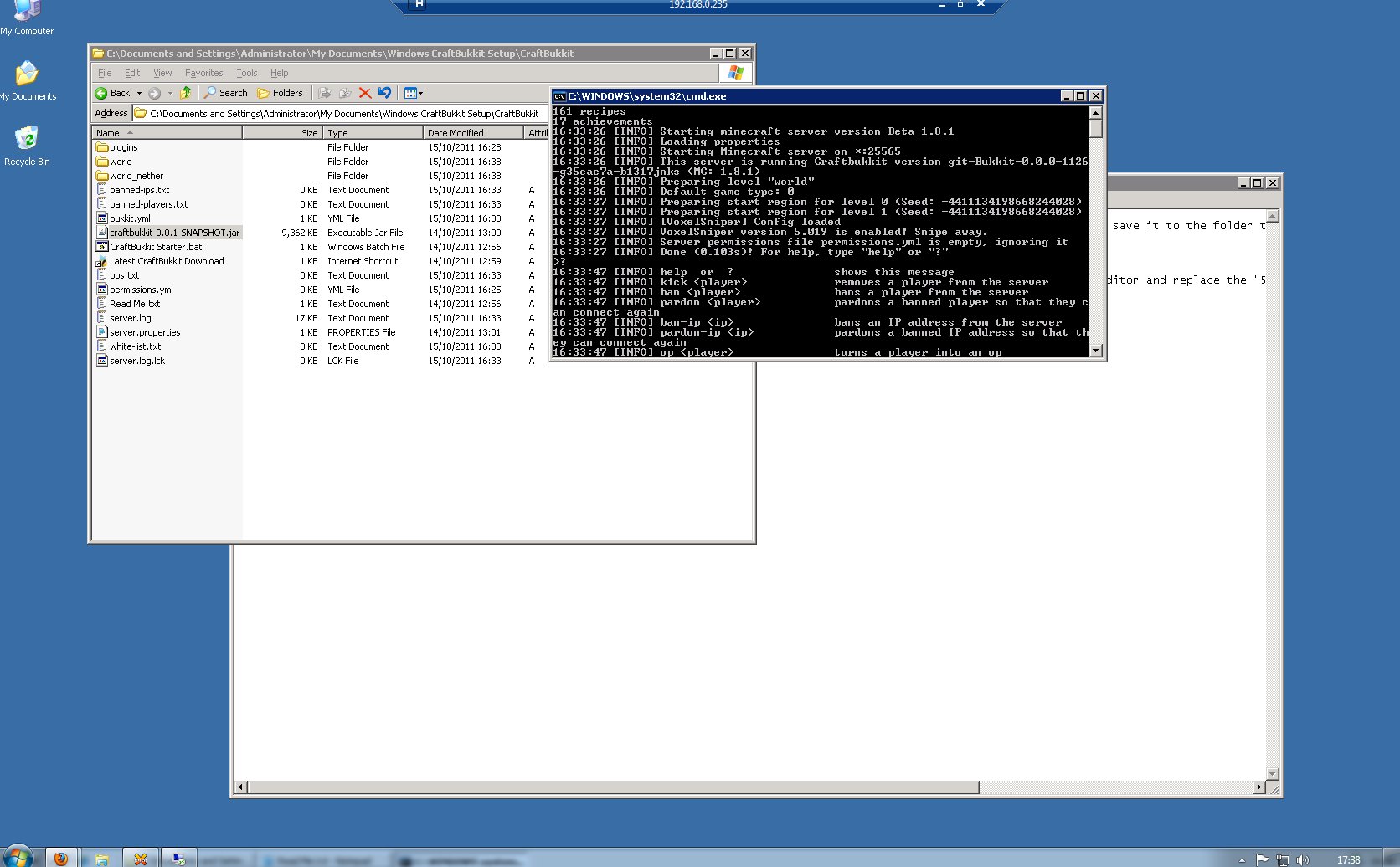
Now to see if it works..
Well.. the server launched fine.. but VoxelSniper? I was able to get at instructions for it, but completely unable to give myself the arrow tool which was indicated.. the server just didn’t recognise the command. More rooting around the forums..
VoxelSniper works with a slightly out of date CraftBukkit server.. #1060 rather than the “most up to date” build that I’ll have been given in the noob-friendly guide.
Re-install time.. this time doing it by myself..
It appeared to work, but when I went to reconnect, the server just gave me a Connection Error.. my Minecraft client needed backdating too. Once that was done, I was able to connect..
However, “i arrow” still gives me an “Unknown console command” error..
Well.. giving up for now 🙁